Training Services
We have a range of training courses, designed to suit all types of business roles, which can be tailored to your needs using examples from your site, or knowledge gaps highlighted by our audit services.
All our training includes an overview of disability and Assistive Technology and is delivered by an experienced accessibility consultant/ trainer and a member of our user testing team.
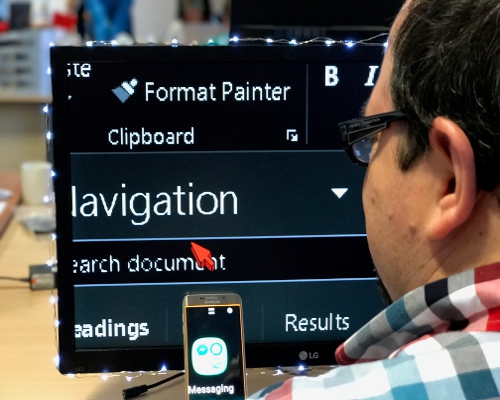
Training Courses
We offer competitively priced courses, with content that hinges on your requirements for:
Department Heads
: general accessibility awareness training to give your team a high-level understanding of the legislation, standards, business case, and the implications of an inaccessible website for Assistive Technology users.
Designers and Content Authors
: for an understanding of accessibility issues around visual layout, colour and fonts, images, links, titles, instructions, documents, social media and more.
QA Testers and Developers
: to introduce Assistive Technology and provide a basic knowledge of screen readers and how to use them to test.These courses can be delivered in person or remotely.
We are happy to provide full details with estimated duration and costs.
General Accessibility Awareness
This course is designed to form an
introduction to Accessibility, Assistive Technologies,
and the Web Content Accessibility Guidelines (WCAG)
along with legislation surrounding Accessibility.
Suitable for everyone.
- Introduction to Accessibility including legislation.
- User groups and Assistive Technology
- WCAG 2.2
Content and Design
The perfect course for content authors, designers, and copywriters. This course covers the theory behind alternative text for images, colour contrast, considerations when using audio and video multimedia, and much more.
- Legislation and Guidelines
- User Groups and Assistive Technology
- Annotations and copy deck
- Determining Alternative Text for Images
- Data visualisations and Infographics
- Constructing Accessible Forms
- Accessible Multimedia for Audio and Video
- Content and Design Best Practices
Accessible Non-HTML Docs
Concentrating on accessibility for non-HTML documents, such as PDFs, Word, and Excel files, this course teaches you what affects readers with disabilities when creating accessible documents.
- Understanding Digital Accessibility
- What is Digital Accessibility
- Disability statistics
- User groups and Assistive Technology
- Creating accessible non-HTML. Including,
- Table mark-up
- Infographics
- Reading Order
- Images
- Headings
- Checking our documents
Screen Reader Workshop
This workshop is designed for individuals
who want to learn how to use screen readers
effectively.
Led by a blind user who will share their
experience and provide practical tips.
The workshop also covers:
- Users with disabilities:
- Visual Impaired
- Hearing Impaired
- Physically Impaired
- Cognitively Impaired
- Assistive Technologies
- Screen reader:
- Setup and customisation
- Navigational context on the web and mobile applications.
- Relationship between desktop and mobile assistive applications.
- Identifying Content and how problems can affect users,
- Some key tools to assist reporting and sharing of results.
Advanced Accessibility QA for Web
This course is designed for QA testers and developers who want to deepen their understanding of accessibly testing web applications.
- Evaluation Theory
- Interpreting WCAG 2.2
- The 5 main Impairment Groups
- Testing tools
- Using Assistive Technology
- Creating a Checklist
Advanced Accessibility QA for Native Mobile
This course is designed for QA testers and developers who want to deepen their understanding of accessibility testing for native mobile applications.
- Evaluation Theory
- Interpreting WCAG 2.2
- The 5 main Impairment Groups
- Testing tools
- Using Native Assistive Technology
- Creating a Checklist
Accessible Web Developer
Designed for web developers who want to learn how to create accessible websites and applications, this course covers the principles of accessible markup, coding techniques, and testing methods.
- Page interactions with all 5 main Impairment groups
- Assistive Technology overview
- WAI-ARIA
- Accessible page structure
- Code-depth analysis
- Pre-testing checks
Accessible Native Mobile Developer
This course takes WCAG (Web Content Accessibility Guidelines) and applies them to native mobile development. It is designed for mobile developers and covers both Kotlin (Android) and SwiftUI (iOS).
- Both Kotlin and SwiftUI
- Effects on the 5 main Impairment groups
- Assistive Technology types
- Accessible screen structure
- WCAG 2.2
- Custom components
- Pre-testing checks
Bespoke eLearning
A bespoke eLearning package is an efficient way to engage larger teams with the accessibility agenda and give them the knowledge and skills they need to apply it consistently in their work.
Our video-based modular courses can be tailored to different roles and experience levels, from developers to content writers. With role-specific learning pathways, staged assessments to check understanding, and certification on completion.
The following courses can be delivered to you online by contacting the DAC Sales Team.
Accessibility Awareness
A starter course for anyone who wants to learn
more about accessibility, including the experiences
of those with disabilities.
Includes the following modules:
- Introduction to Digital Accessibility Awareness
- DAC Team Stories
Product Manager
All the main areas of accessibility
and legal requirements that
Product Managers need to know.
Includes the following modules:
- Introductions to:
- Digital Accessibility Awareness
- Accessibility Evaluation and Methodology
- Accessible Content Authoring
- Accessible User Experience
- UK Legislation
- European Legislation
- Americans with Disabilities Act
Introduction to Assistive Technologies
All of the "Accessibility Awareness" course
with additional overview on Assistive
Technologies.
Includes the following modules:
- Introduction to Digital Accessibility Awareness.
- DAC Team Stories
- Introduction to Assistve Technologies
Advanced Assistive Technologies
A more detailed look into some of the most
popular assistive software, including
screen readers and voice assistants.
Includes the following modules:
- Introduction to Digital Accessibility Awareness.
- Dragon Naturally Speaking
- ZoomText
- JAWS
- NVDA
Accessible Content Writer
Lessons on how to write accessible content,
using clear language and supporting text for
charts and graphs, and conveying currency,
measurement, temperature, and other units.
Includes the following modules:
- Introducing Assistive Technologies
- Introduction to Accessible Content Authoring
- Building your Page Structure
- Perfecting your Writing Skills
- Help and Accessibility
- Writing Styles for Specific Elements
Accessible Designer
Advice on how to design accessible
interfaces for those who have various
vision impairments and learning
disabilities.
Includes the following modules:
- Accessible User Experience
- Vision Impaired Users
- Users with Colour Blindness
- Blind Users
Accessibility Tester
An advanced course on how to use various tools to test
the accessibility of a website, and which standards and
guidelines the website needs to meet.
The methodology can also be used against
Native Mobile Applications.
Includes the following modules:
- Introduction to Digital Accessibility Awareness.
- In-depth look at JAWS, NVDA, ZoomText and Dragon
- Detailed information on the WAI-ARIA specification
- A look at the additional criteria of WCAG 2.1
Accessible Web Developer
Three modules on Accessible Techniques
for Web Developers,
discovering how to make your
website accessible to users with
disabilities using the
principles of HTML, CSS, and JavaScript.
Includes the following modules:
- Introduction to Digital Accessibility Awareness.
- Introducing Assistive Technologies
- Detailed information on the WAI-ARIA specification
- Building your Page Structure
- Keyboard focus indication
- Visually hiding text for screen reader users
- Resizing text,
- Text information for images, links and other components
- Form elements, errors and labels
- Custom elements
Accessible Native Mobile Developer
Covering both Kotlin for Android and
Swift for iOS, this course sets the application of
WCAG (Web Content Accessibility Guidelines)
against Native Mobile Application development.
Includes the following modules:
- Digital Accessibility Awareness
- General Mobile Accessibility Guidance
- Accessible Development in Kotlin
- Accessible Development in SwiftUI
Accessibility Specialist
Every Module and lesson we have created, from
the very beginning to the very end.
From Accessibility Awareness to
Legal Requirements to
Accessibility Testing.
This is our complete accessibility compendium.
Includes the following modules:
- Digital Accessibility Awareness.
- Legal Requirements
- Assistive Technologies
- Content Writing
- Accessible Designer
- Web and Native Mobile Development
- Accessibility Testing
Test your knowledge
Try our mini "Accessibility Quiz" (15 questions) for instant feedback and recommendations on our training courses.